Hardscape Builder
BundleWall Builder and Patio Builder, together in one SketchUp extension. Model retaining walls, stairs, and paving with supporting layers and dedicated editing tools in a shared interface.
What's included
-
Wall Builder
Model segmental retaining walls with options for blocks, caps, base and backfill. Include block and solid unit stairs. Draw drain tile, wall grates and emitters.
-
Patio Builder
Develop paving layouts with pavers, natural stone, borders, bedding, and base layers using adjustable design settings.


What you can build
-
Walls and caps. Draw straight and curved wall paths with Standard Block, Natural Stone, or Boulder styles. Adjust courses, wall steps, batter, and block stagger. Filler blocks are automatically cut to fit. Caps are cut to fit, with an A/B cap option.
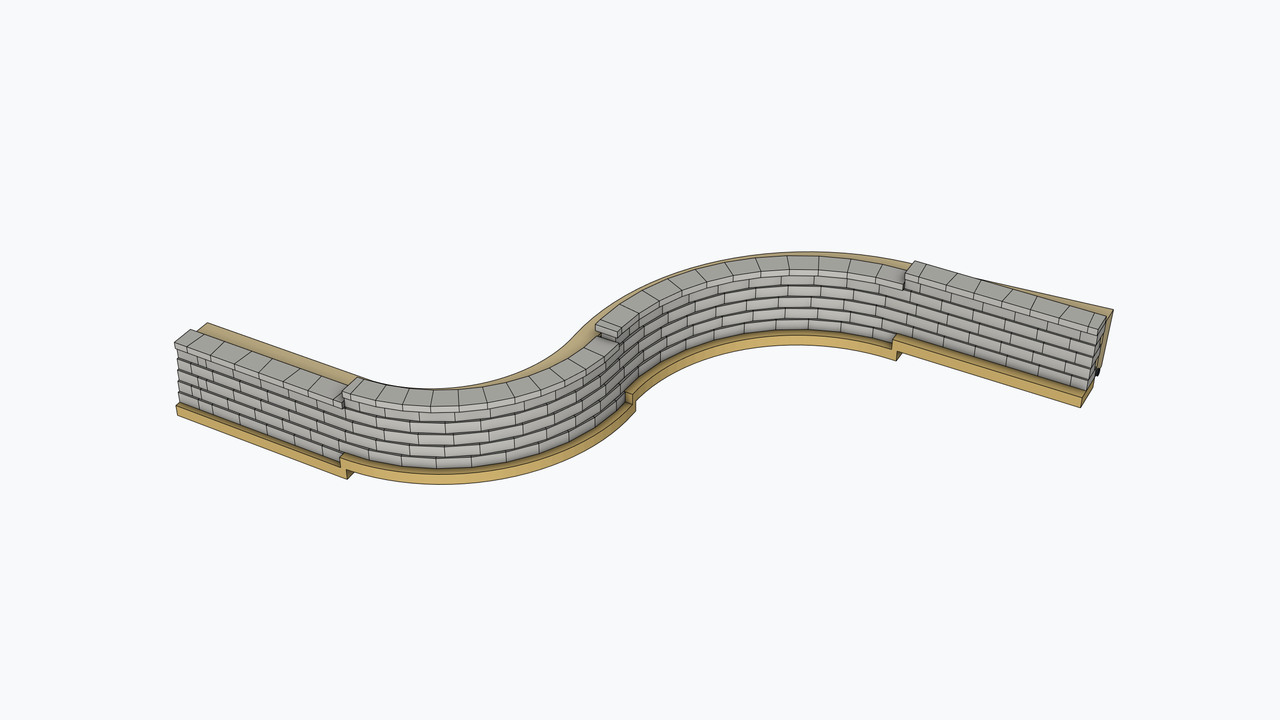
- Block Adjust. Move filler blocks to stagger seams.
-
Drainage. Draw drain tile, wall grates and emitters for proper drainage. Include fittings and drain boxes.
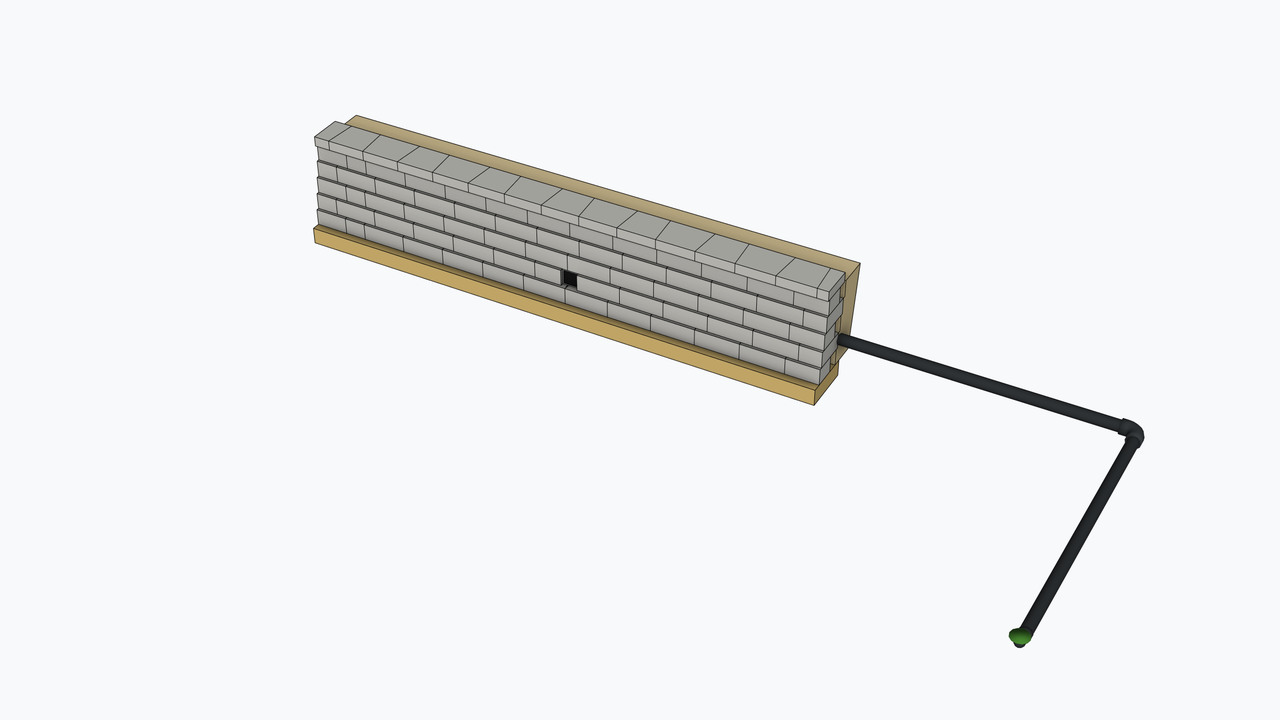
- Edit Drain Tile. Edit drainage on a selected wall or an independent drain-tile run.
- Edit Elevations. Adjust elevations on supported On Surface patios.
- Materials. Use the Materials panel to choose preset or custom colors for Wall and Patio materials, including blocks, natural stone, boulders, caps, stairs, pavers, borders, flagstone, construction layers, drainage, paver restraint, and joint fill. Match cap colors to wall units and border colors to field pavers. Apply colors to selected walls or patios. Appearance settings are saved with the model.

 Block Adjust.
Move filler blocks to stagger seams.


 Edit Drain Tile.
Edit drainage on a selected wall or an independent drain-tile run.


 Edit Elevations.
Adjust elevations on supported On Surface patios.
 Materials.
Use the Materials panel to choose preset or custom colors for Wall and
Patio materials, including blocks, natural stone, boulders, caps,
stairs, pavers, borders, flagstone, construction layers, drainage,
paver restraint, and joint fill. Match cap colors to wall units and
border colors to field pavers. Apply colors to selected walls or
patios. Appearance settings are saved with the model.
How it works
Choose a Builder. Open Hardscape Settings, select Wall or Patio, and set the options for that part of the design.

-
Draw
Use Wall Builder to draw wall paths or Patio Builder to outline paving footprints in your SketchUp model.
-
Edit
Use Edit Wall or Edit Elevations to refine supported walls and patios with the appropriate Builder's tools.
-
Rebuild
Rebuild selected walls or patios using their supported settings as the design develops.